
Paint Studio4.09 - Download
You'll be able to download in few seconds.
Publisher Description
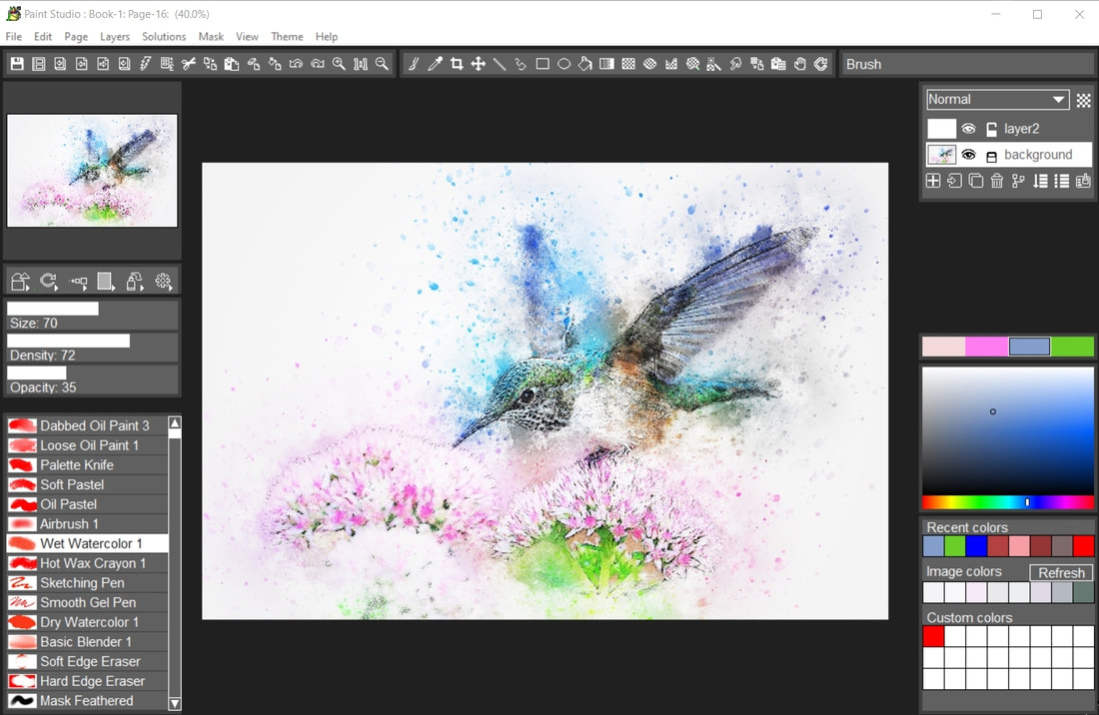
Painting and drawing with natural media brushes TwistedBrush Paint Studio makes no compromises in offering the best of the TwistedBrush painting engine. Presented in an interface that's perfectly suited for creation of new art work using expressive brushes from thick wet oil paints and fluid watercolors to slick oil pastels and fine airbrushes and everything in between.
Over 160 of the very best natural media brushes available anywhere in these general categories:
* Acrylics
* Airbrushes
* Basic Brushes
* Blenders
* Charcoals and Chalks
* Crayons
* Erasers
* Markers
* Masking Brushes
* Oil Paints
* Oil Styles
* Palette Knives
* Pastels
* Pencils
* Pens
* Watercolors
Natural Media Painting
160+ of the Best Natural Media Brushes from Pixarra
Powerful Brush Editing Brush Modifiers
Layers, Transparency and Mask Support
Different Paper Types Colors
Clips, Tracing Paper Reference Image Support
Automated Solutions
Extensive Tool Set
Convenient Sketchbook System
New User Interface Different Color Themes
Intelligent Color Palette Improved Layer Management
New ArtSet - Nu Media
Tablet Compatibility
About Paint Studio
This Editors program is available in English. It was last updated on 29 September, 2026. Paint Studio is compatible with the following operating systems: Windows.
The company that develops Paint Studio is Pixarra Inc. The latest version released by its developer is 4.09.
The download we have available for Paint Studio has a file size of 32.5 MB. Just click the green Download button above to start the downloading process. The program is listed on our website since 2021-11-09 and was downloaded 0 times. We have already checked if the download link is safe, however for your own protection we recommend that you scan the downloaded software with your antivirus. Your antivirus may detect the Paint Studio as malware if the download link is broken.
How to install Paint Studio on your Windows device:
- Click on the Download button on our website. This will start the download from the website of the developer.
- Once the Paint Studio is downloaded click on it to start the setup process (assuming you are on a desktop computer).
- When the installation is finished you should be able to see and run the program.
Program Details
System requirements
Download information
Pricing
Version History
version 4.09
posted on 2021-11-09
New features are added, some features are improved and bugs are fixed
Disclaimer
External Download
We do not host Paint Studio on our servers. We did not scan it for viruses, adware, spyware or other type of malware. This app is hosted by the software publisher and passed their terms and conditions to be listed there. We recommend caution when installing it.
The external download link for Paint Studio is provided to you by apps112.com without any warranties, representations or guarantees of any kind, so access it at your own risk.
If you have questions regarding this particular app contact the publisher directly. For questions about the functionalities of apps112.com contact us.
